

scratch
Scratch is an educational drag-and-drop coding language, that can be used to create interactive stories, games, and animations. With Scratch, kids will be introduced to coding and learn basic programming logic. During our Scratch activities, kids will be using the Scratch Code Editor. We highly recommend creating a free account as it will make saving their work easier at the end of each activity!
✅ To view your project, download the file onto your computer. Open up scratch and create a new project, select file, and “load from computer.”
✅ Scratch Code Editor: https://scratch.mit.edu/projects/editor/?tutorial=getStarted
✅ We recommend that our students practice typing!
https://www.typingclub.com/
monday Group: cat art
🐱🎨 Move your mouse around the screen and watch your cat create colorful works of art wherever it goes! 🌈✨ Use the up and down arrow keys ⬆️⬇️ to make your brush bigger or smaller, and press the space bar to clear the canvas and start a brand-new masterpiece. How many purr-fect creations can you make? 🖌️🐾
Name 1
BEnjamin
red Group:
Stack ‘n’ Snack
Whoo-hoo! Let’s go on a super fun adventure! Move your mouse to help BMO explore and watch the colorful trail follow along. Wanna switch things up? Just press the spacebar or give a little click to change back to your happy, game-loving self! 🌈✨
blue Group:
tunnel of doom
Get ready for a web-slinging adventure! Use your mouse to catch the spider and carefully guide it through the maze back home. But beware! If your mouse touches the maze walls, it's back to the start for you! Can you help the spider navigate its way home without getting tangled up? Let's find out! 🕷️🕸️🏠
ellora
yellow Group:
spiral-o-tron
🎨 With Scratch’s Pen feature, it’s super easy to create awesome effects like this colorful spinning spiral! 🌈 Just take a step, turn 10 degrees, step again, and watch your rainbow masterpiece come to life.
Blue Group:
Vader Swarm
Help Baby Yoda survive a swarm of flying Darth Vaders! Use the up and down arrow keys to move Baby Yoda and dodge the incoming Vaders. Want to fight back? Press the spacebar to blast them with your lightsaber and earn points! But be careful! If Darth Vader touches Baby Yoda, it’s game over. How long can you keep him safe?
lorenzo
charlotte
yellow Group:
Hide & seek
Prepare for a sprite-seeking extravaganza! You've got a brief moment to click on the sprite and rack up points before it dashes away and magically reappears in a brand new spot! 🕵️♂️🌟
Nolan
lorenzo
BEnjamin
red Group:
Spiralizer
Get ready to unleash your inner artist and create wild, colorful spiral designs! Mix things up by tinkering with the sliders to change their speed or angle, and watch your creations come to life in a whirlwind of fun! 🌀🎨 Let your imagination run wild! 🌈✨
Blue Group:
donkey kong blaster
Help Donkey Kong survive a rolling barrel frenzy! 🛢️ Use the up and down arrow keys to move DK and dodge the barrels. Want to fight back? Press the spacebar to shoot fireballs and rack up points! But watch out! If a barrel hits Donkey Kong, it’s game over. How long can you keep him safe?
Name 1
yellow Group:
Boogie Bots
🤖Get ready to groove with your bots! Watch your robots show off their coolest moves in this epic dance party, complete with lights that flash and change colours to the music. It’s a robo-rave like no other!
Nolan
rueben
May 23 open house
✳︎
From 1 to 3 PM
✳︎
Wesley Chapel
May 23 open house ✳︎ From 1 to 3 PM ✳︎ Wesley Chapel
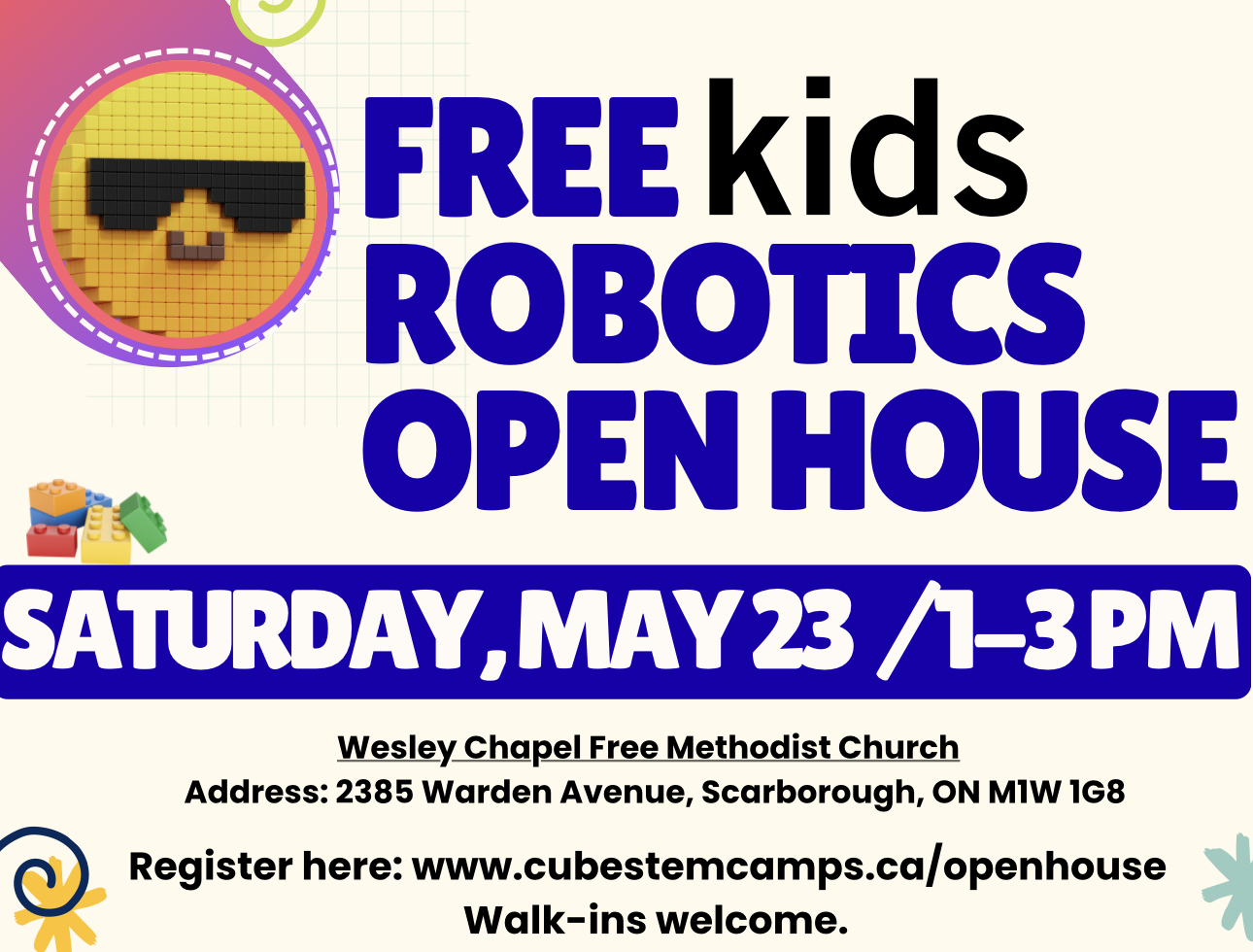
FREE ROBOTICS OPEN HOUSE
🚀 Free Kids Robotics STEM Open House
📅 May 23, 2026
🕐 1:00 PM – 3:00 PM
Come explore the exciting world of robotics, coding, and STEM learning at Cube STEM Camps!
✔ Hands-on activities
✔ Meet our instructors
✔ Learn about our summer camps
✔ Perfect for kids and families curious about STEM
👉 Register here ( Fill in the form below:
Walk-ins welcome!